> ## Documentation Index
> Fetch the complete documentation index at: https://docs.bytomdao.com/llms.txt
> Use this file to discover all available pages before exploring further.
# How can I upgrade my subscription?
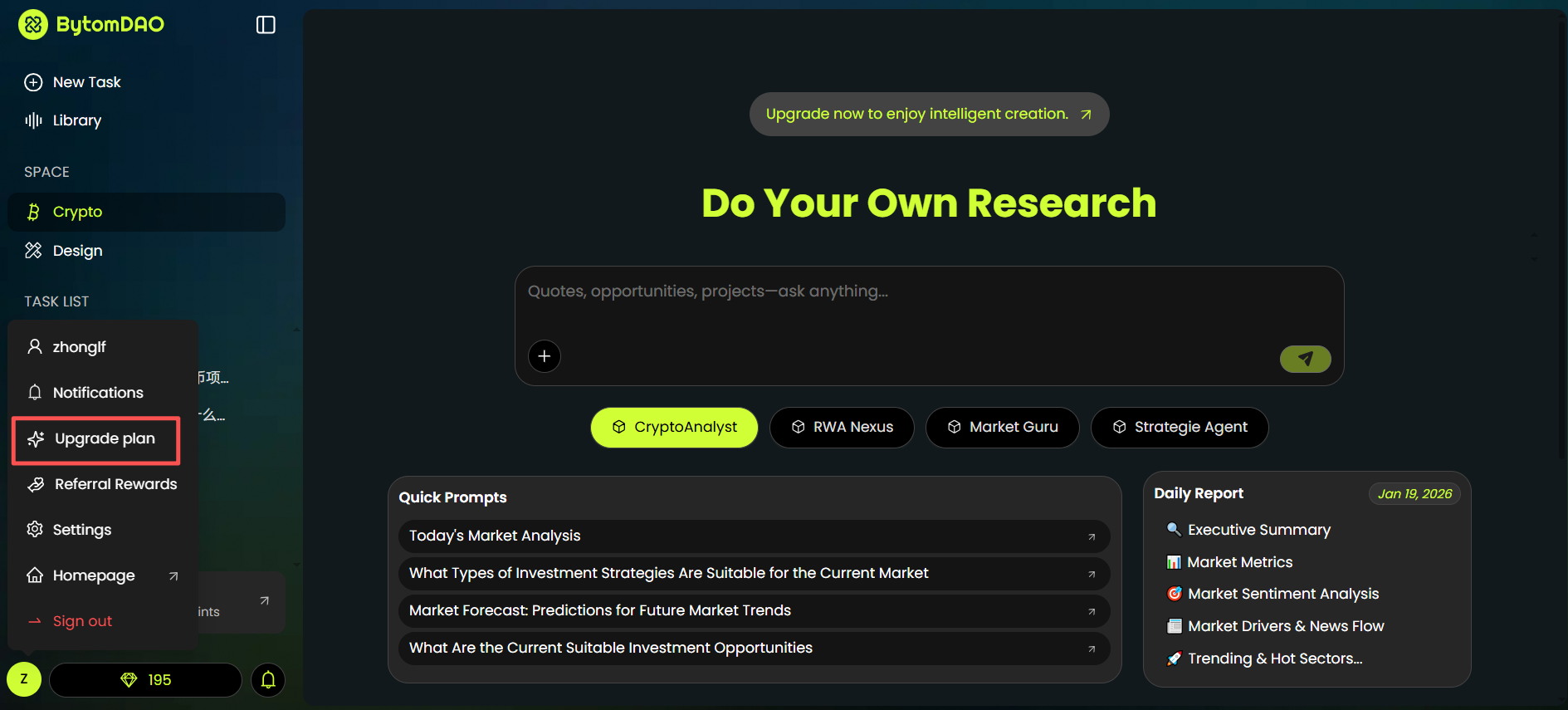
you can upgrade your subscription in the **“Upgrade plan”** option of the menu.
 ## Select a Subscription Plan
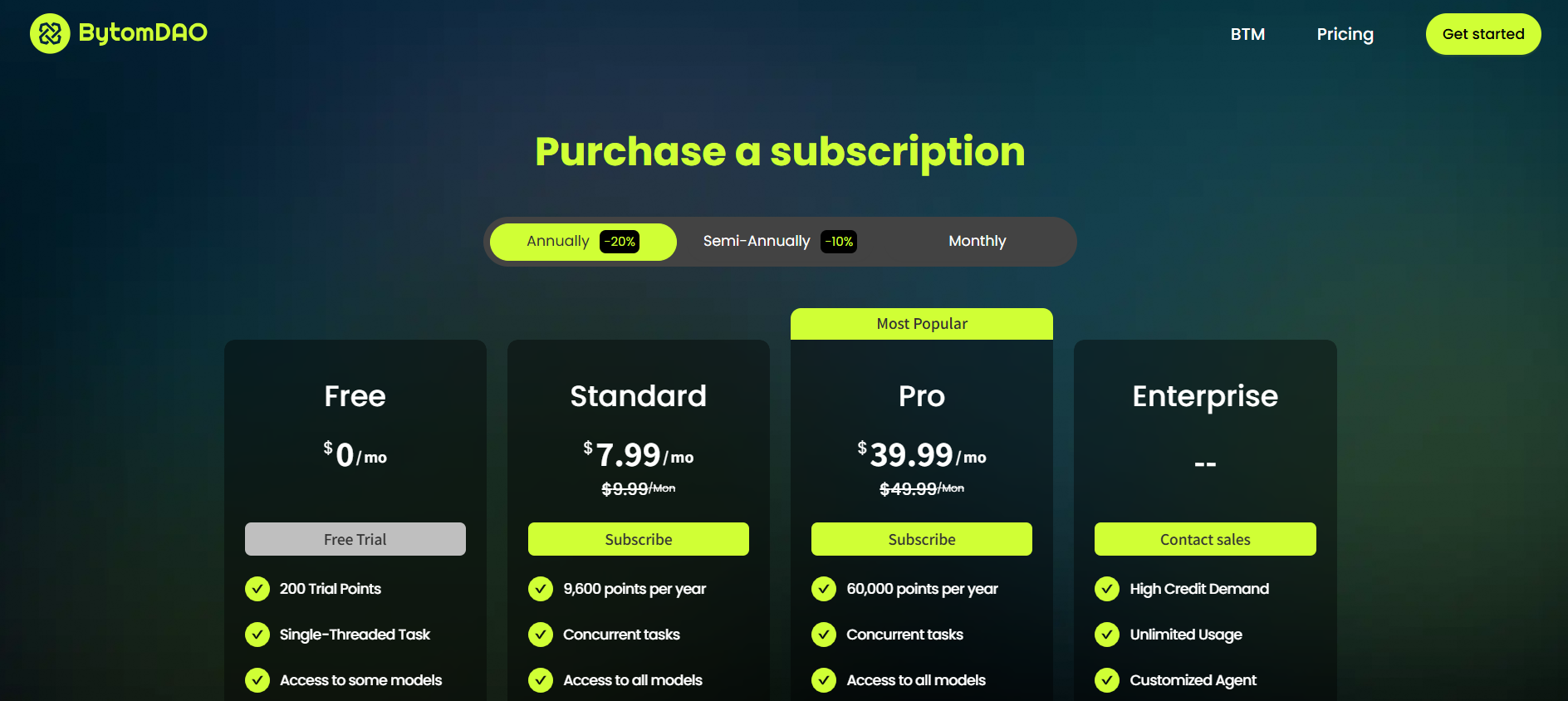
On the purchase page, you can choose the billing cycle and plan that best fits your needs.
## Select a Subscription Plan
On the purchase page, you can choose the billing cycle and plan that best fits your needs.
 ## Select Payment Method
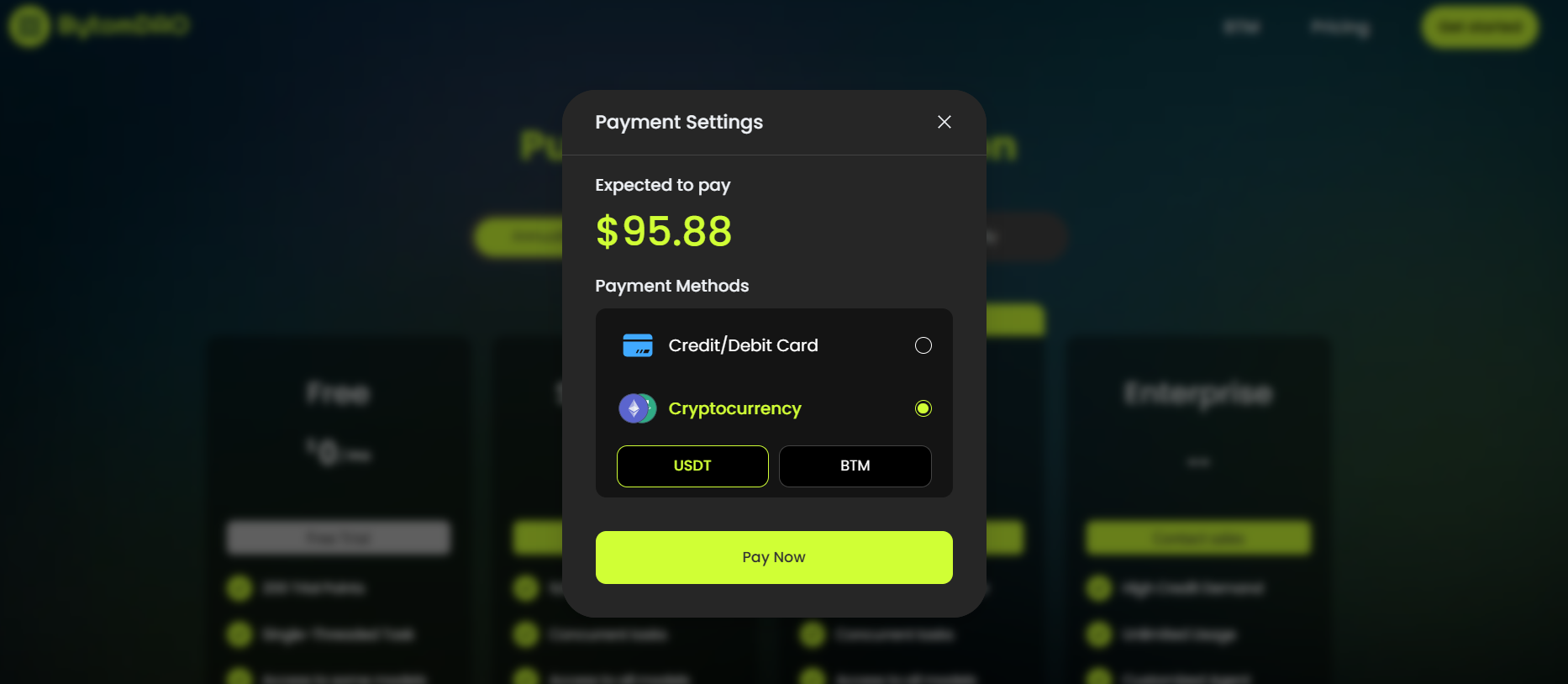 **Credit/Debit Card:** Pay using your bank card. **Cryptocurrency:** Pay with crypto assets, supporting **USDT** and **BTM**.
Click the bright green **"Pay Now"** button.
## Bank Card Checkout (Stripe)
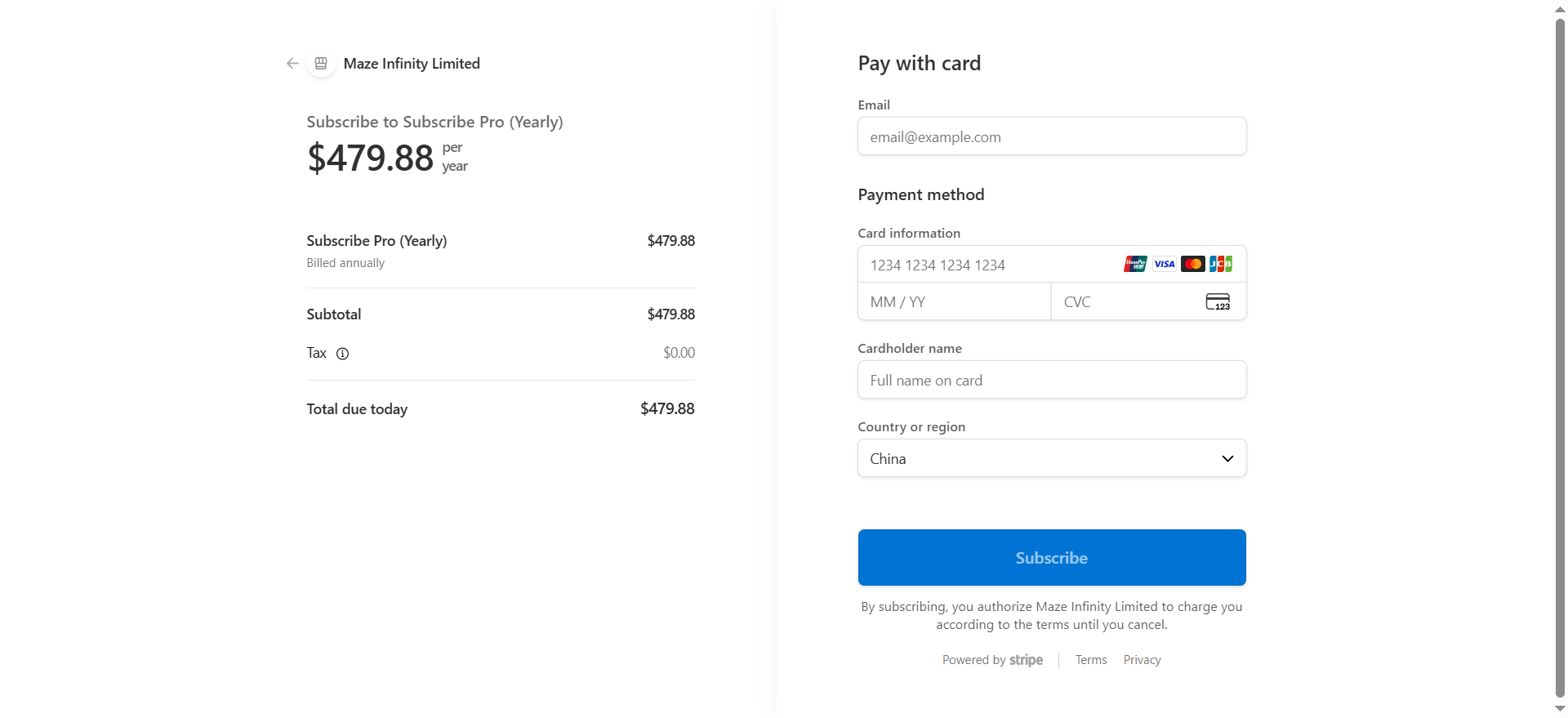
If you selected card payment, you will be redirected to a secure Stripe checkout page.
1. **Enter Information:** Provide your email, card number, expiry date, CVC, and cardholder's name.
2. **Region:** Confirm your country or region.
3. **Confirm Subscription:** Click the blue **"Subscribe"** button to finalize the payment.
Once completed, your account status will be updated immediately, and the corresponding points will be credited to your UID.
**Credit/Debit Card:** Pay using your bank card. **Cryptocurrency:** Pay with crypto assets, supporting **USDT** and **BTM**.
Click the bright green **"Pay Now"** button.
## Bank Card Checkout (Stripe)
If you selected card payment, you will be redirected to a secure Stripe checkout page.
1. **Enter Information:** Provide your email, card number, expiry date, CVC, and cardholder's name.
2. **Region:** Confirm your country or region.
3. **Confirm Subscription:** Click the blue **"Subscribe"** button to finalize the payment.
Once completed, your account status will be updated immediately, and the corresponding points will be credited to your UID.
 ## Cryptocurrency Payment
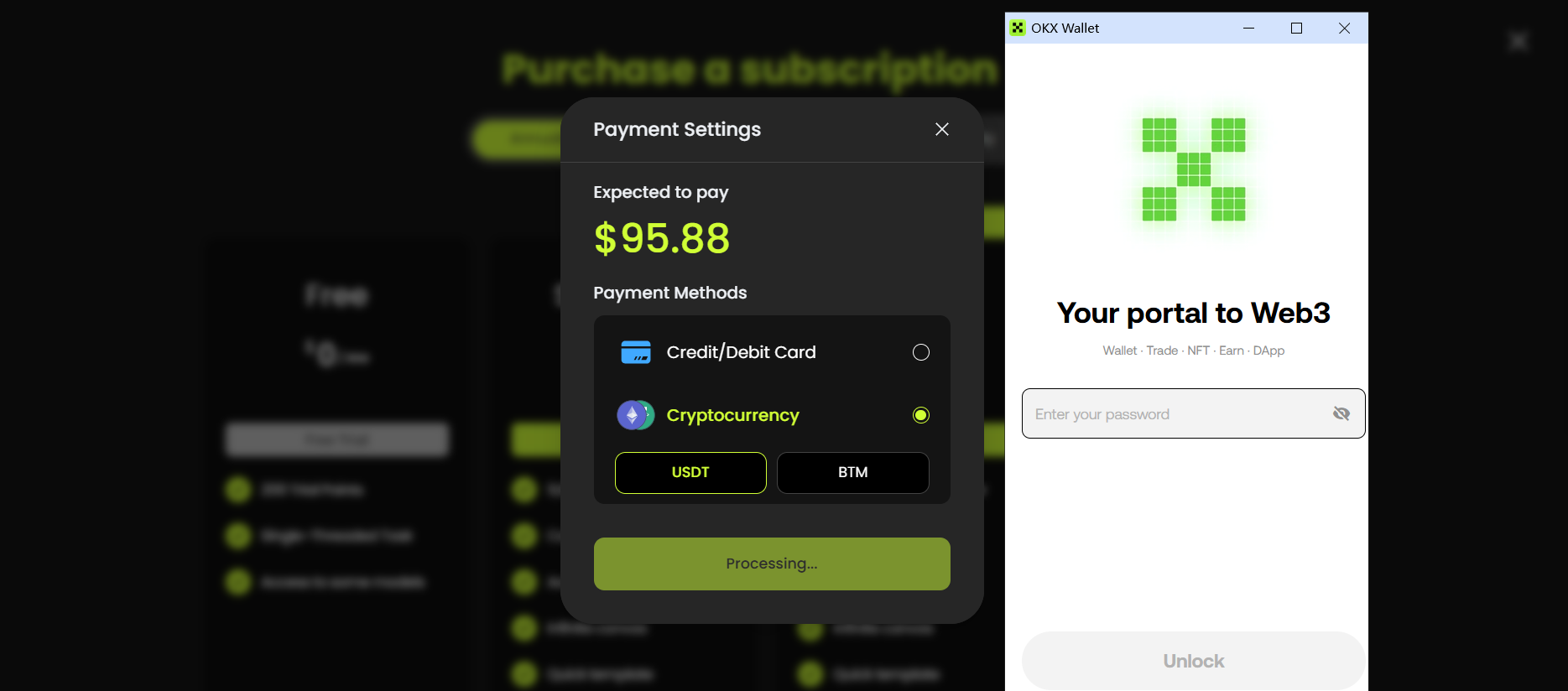
If you selected **Cryptocurrency** and clicked **"Pay Now"**, the platform will connect to your Web3 wallet.
## Cryptocurrency Payment
If you selected **Cryptocurrency** and clicked **"Pay Now"**, the platform will connect to your Web3 wallet.